 Gospelly
Bible app for iPhone · iOS 18
The Bible, made for your iPhone.
A daily time with God on the Today tab, Scripture one verse at a time in Scroll, the whole Bible in four translations, plans that wait for you, and today’s verse on your Lock Screen.
7-day free trial · then $39.99/yr or $7.99/mo
Last updated
Where people open it.
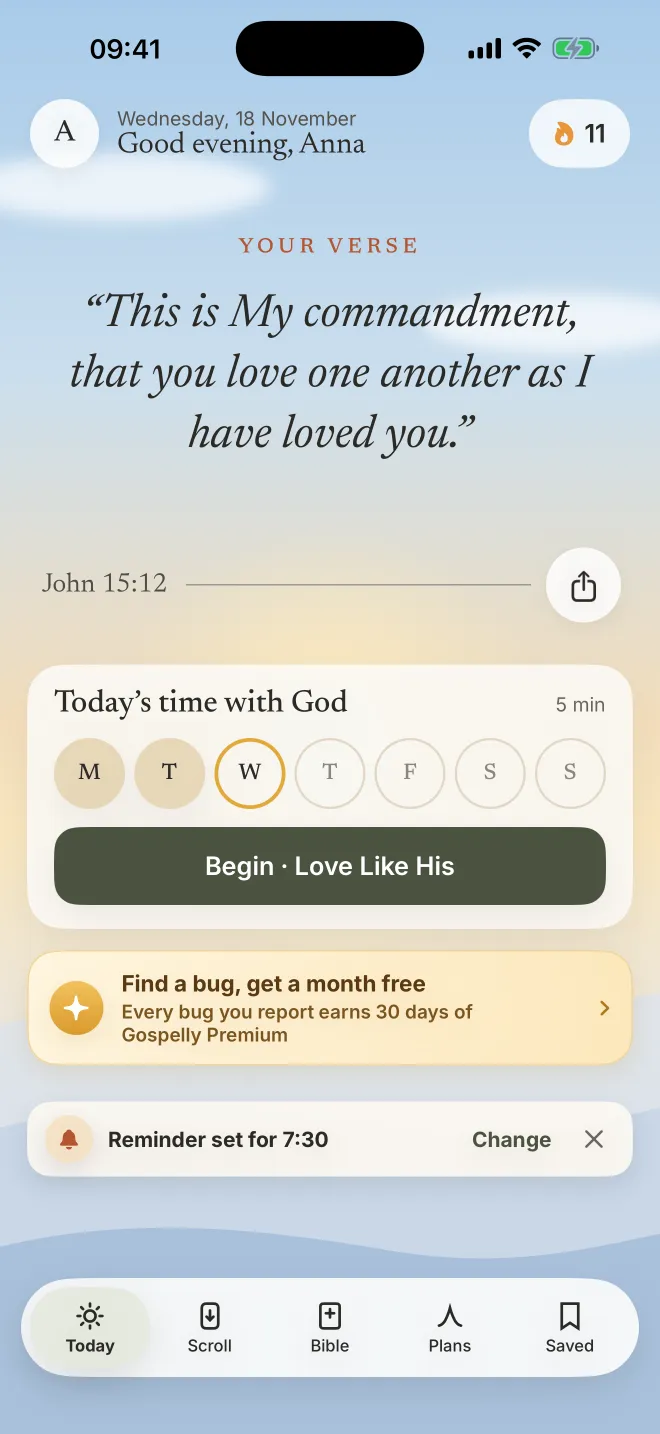
Five minutes before the day starts: the verse, a reflection, a prayer, Amen.
The Verse of the Day in the widget; a tap opens today’s session.
Scroll verses for what you are carrying: peace, hope, trust and 17 more.
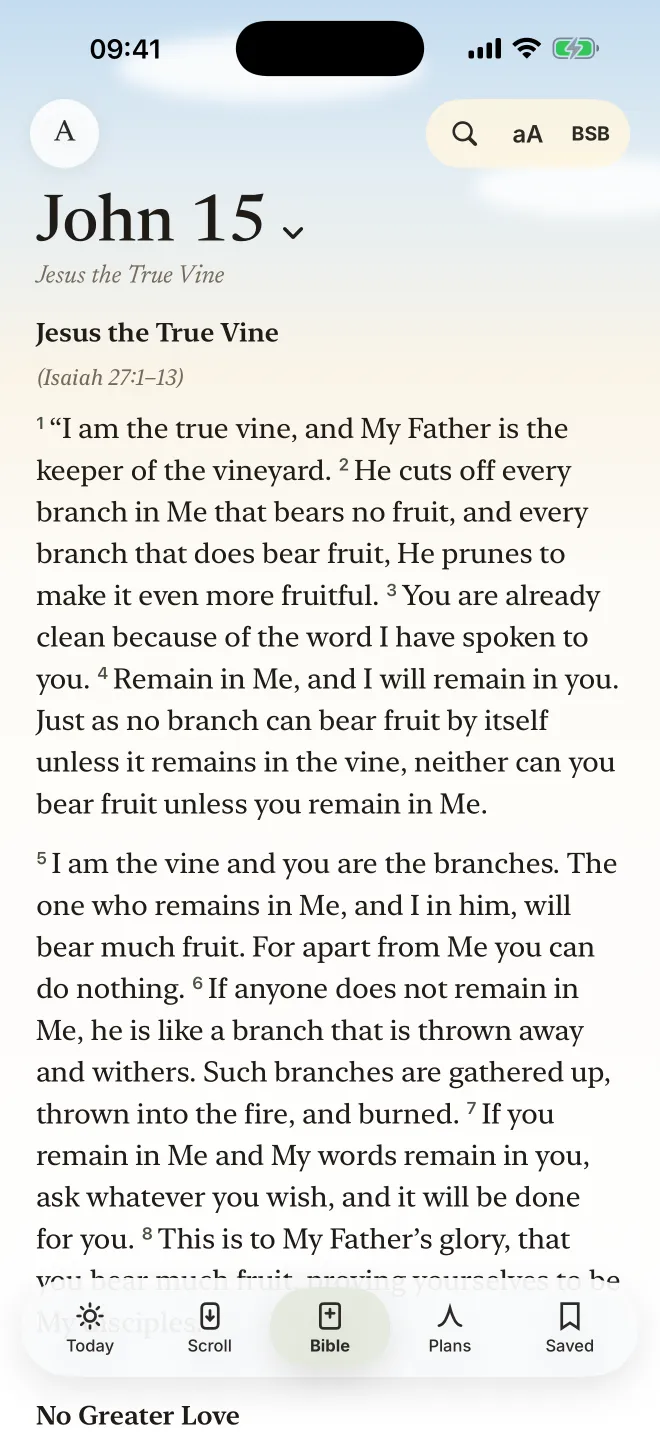
A chapter in the KJV or BSB, a plan’s day, a note on a verse.
Everything in it.
Five tabs: Today, Scroll, Bible, Plans and Saved.
- Today
- Verse of the Day, a short reflection and a prayer with your intention; Touch and hold to pray. 366 days written for the app.
- Bible
- BSB, KJV, WEB, ASV on the iPhone, offline. Chapter per page, poetry as poetry, words of Jesus in red if you like, search by words or reference.
- Marking
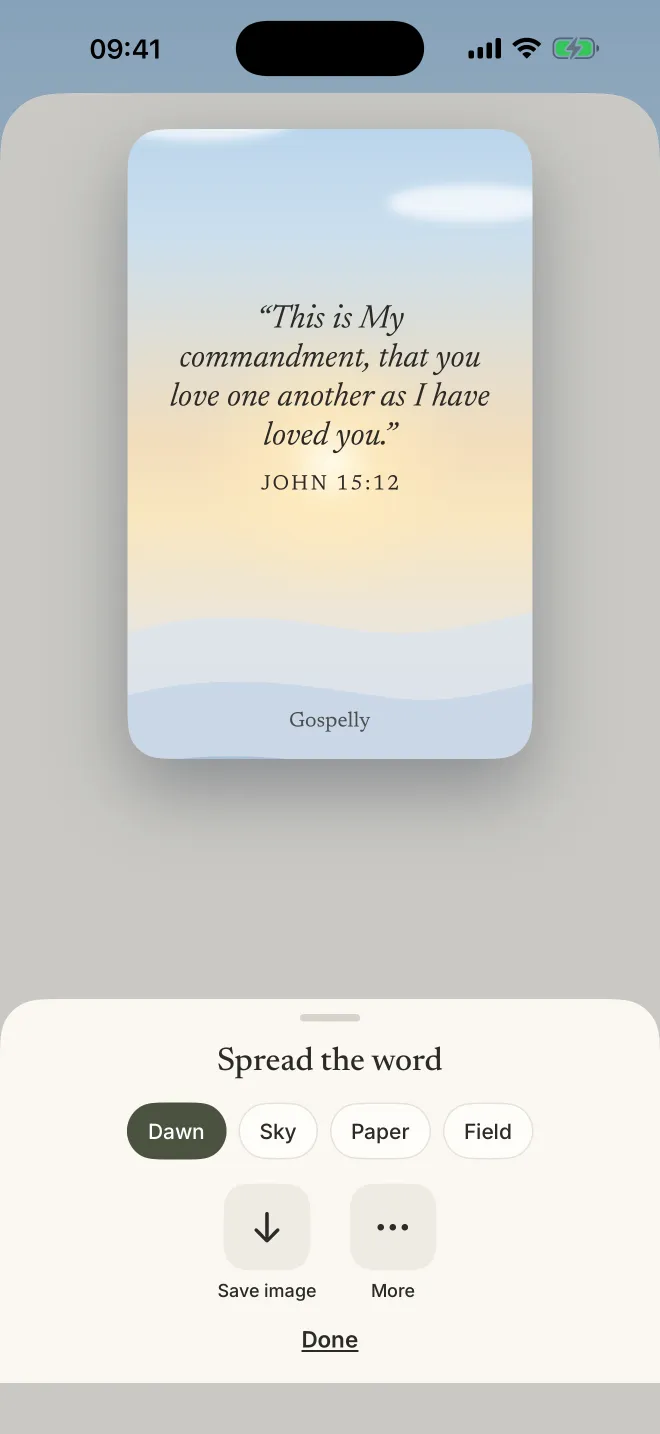
- Highlights in five colours, saved verses, notes, copy, Compare in all four translations, verse pictures (Dawn, Sky, Paper, Field).
- Plans
- 13 written plans and 5 Bible schedules, self-paced.
- Scroll
- One verse at a time, by topic, verses of the day, a chapter or saved verses; double-tap saves.
- Widget
- Verse of the Day on the Home Screen and Lock Screen, in sky colours (Edit Widget).
- Reminder
- One a day, at the time you choose.
- Requires
- iPhone with iOS 18 or later. English.
Why is there no audio?
Because Gospelly is made for reading. The day’s verse writes itself in, the reflection is short enough to read slowly, and the prayer is yours to pray. If you would rather listen to the Bible, an audio Bible app such as Dwell fits better; we compare them in Gospelly vs Dwell.
Good to know. Gospelly runs on iPhone. On an iPad it opens as the iPhone app; there is no Android version.
Comparing apps? See the best Bible apps and all alternatives.
Questions
Which iPhones can run Gospelly?
Any iPhone with iOS 18 or later.
Can I read the Bible offline?
Yes. All four translations are inside the app, so the Bible, your plans and your notes work without a connection.
How do I add the Verse of the Day widget?
Touch and hold the Home Screen or the Lock Screen, tap Edit or Customize, add Gospelly’s Verse of the Day widget and choose its style in Edit Widget. Step by step.
Is there a dark mode?
Gospelly is light by design, painted in morning skies. In the Bible you can choose the page colour, text size, line spacing and typeface.
Your next five minutes, with God.
7-day free trial · then $39.99/yr or $7.99/mo · iPhone, iOS 18